


Introduction
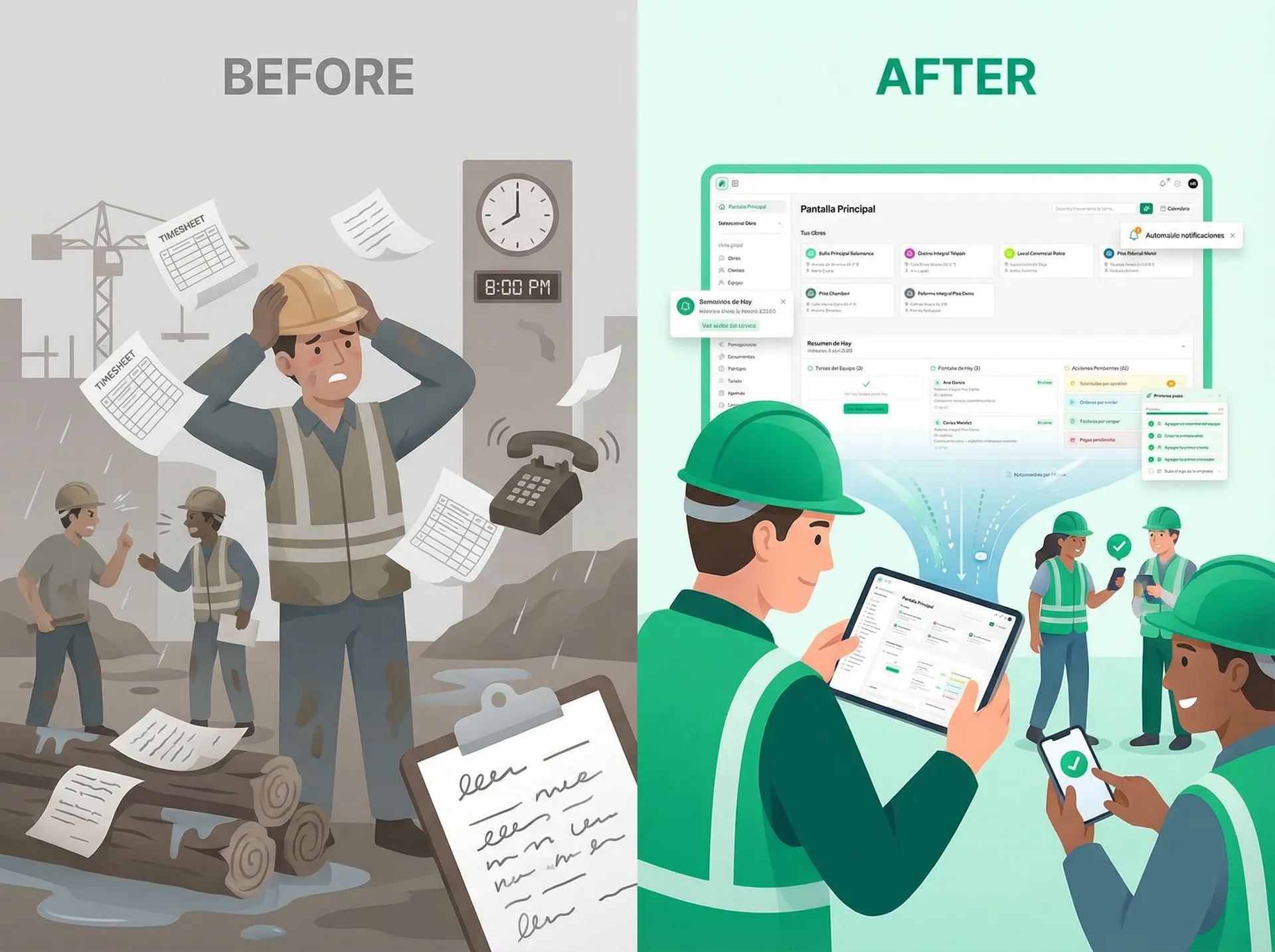
The construction industry is paradoxical. It builds the modern world—glass towers, homes, infrastructure—yet operates using tools from decades past. WhatsApp groups replacing project communication. Paper forms scattered across dusty job sites. Spreadsheets that no one updates. Email chains that nobody reads.
This isn't just inefficient. It costs money. Real money.
Yet here's the encouraging part: construction is one of the last industries to digitize, which means small companies have a genuine advantage. You're not trying to replace entrenched legacy systems built over decades. You can build the right workflows from the beginning. You can outpace larger competitors who are weighed down by outdated infrastructure.
Digital transformation in construction doesn't mean becoming a tech company. It means eliminating the waste that comes from manual processes so you can focus on what you actually do: building quality projects, on time, within budget, and without the chaos that buries small teams.
This guide is for construction and renovation company owners who know they need to modernize but have no idea where to start. We'll show you what digital transformation actually looks like on a real construction site—not in theory, but in practice.
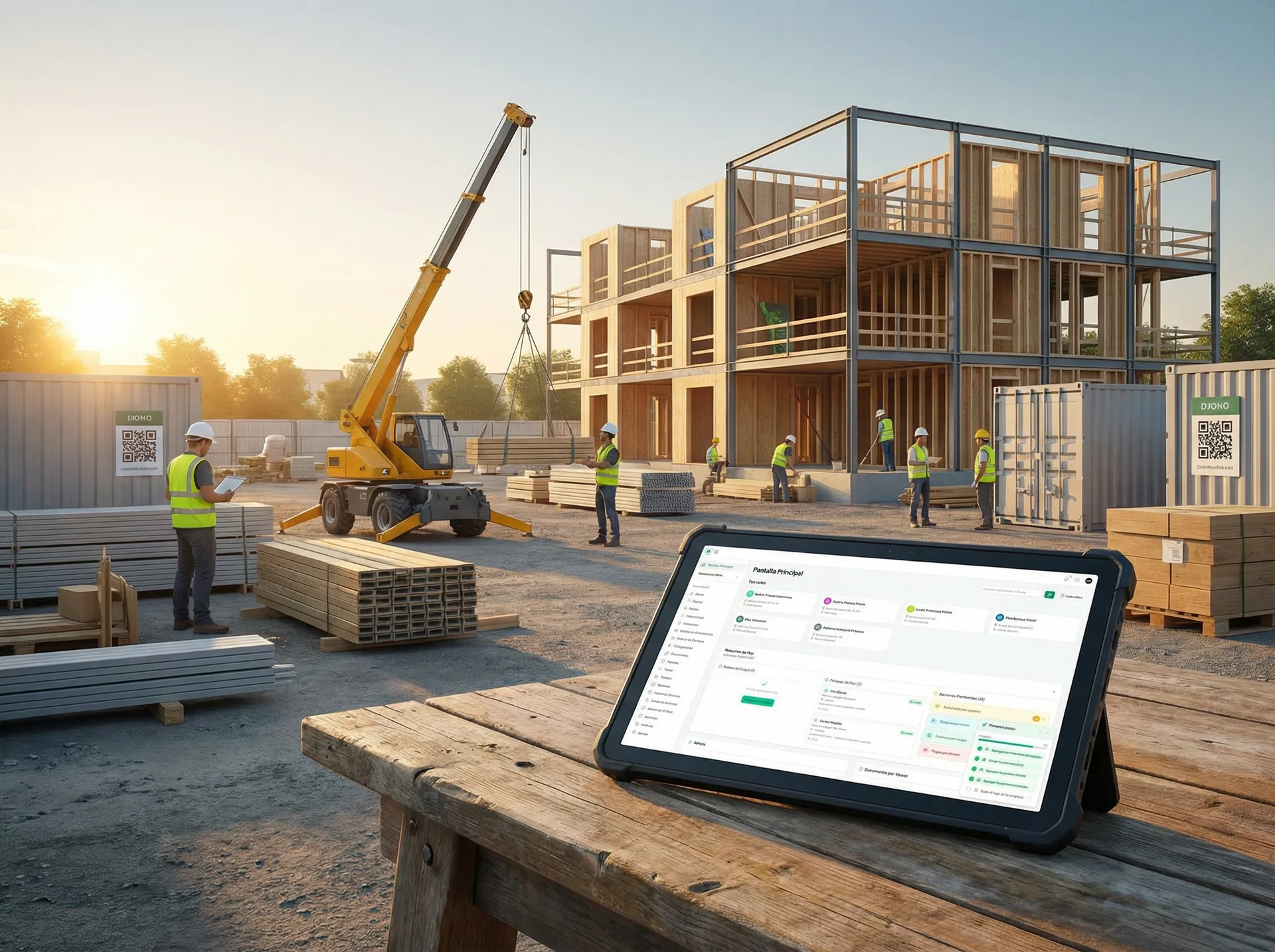
The State of Digitalization in Construction: Numbers That Tell a Story
Before diving into solutions, let's establish where we are. The data is striking:
The construction industry is approximately 10 years behind other sectors in digitalization. While manufacturing, retail, and logistics have embraced digital workflows as standard practice, construction still relies heavily on manual processes.
Industry research and experience highlight consistent pain points:
- A minority of construction companies have fully integrated digital project management systems across all operations
- Industry reports suggest rework due to poor documentation costs the industry 4-6% of project budgets annually
- Construction workers often spend 2-3 hours per day on administrative tasks—filling out forms, searching for documents, clarifying details on the phone
- Many construction projects exceed budget primarily due to communication breakdowns and tracking failures
- Paper-based documentation frequently leads to lost or misplaced documents during projects
Yet things are changing. COVID-19 accelerated digital adoption by 5 years in a single 12-month period. Companies that moved remote suddenly discovered that job sites needed to connect digitally. Clients demanded transparency. Regulatory requirements demanded documentation.
The construction companies winning right now are those who saw this shift and acted. They're not tech companies. They're still construction companies. But they run on modern tools.
Why Small Companies Are Actually Better Positioned to Digitize
This might seem counterintuitive. Don't larger companies have more resources?
Yes. But they also have more inertia.
Large construction firms face massive barriers to digital transformation:
- Hundreds of people trained on old processes who resist change
- Legacy systems that don't integrate with each other
- Regulatory frameworks built around paper-based practices
- Management that's skeptical because "we've always done it this way"
Small construction companies have advantages large firms envy:
1. Speed of implementation. You don't need to roll out change management across 500 people. You can test something with your team of 8 tomorrow. If it works, you scale it. If it doesn't, you pivot. Large companies need 6-month implementation plans.
2. Flexibility. You're not locked into 10-year contracts with enterprise software vendors. You can choose tools that actually solve your problems, not tools that fit someone's idea of enterprise requirements.
3. No legacy baggage. You're not trying to digitize workflows built in 1998. You can build modern workflows from the start, designed around how your teams actually work—from the job site, not from a desk.
4. Team buy-in. When everyone in the company is involved in the decision and sees the immediate benefit, adoption is nearly automatic. There's no massive change management budget needed—just results.
5. Competitive advantage. While large firms spend years in transformation projects, you can differentiate in the market by offering clients real-time visibility, faster communication, and fewer surprises. You'll win bids and attract better talent.
The companies doing this right now—small to mid-sized firms in Spain, Italy, and throughout Europe—are stealing market share from larger competitors stuck in analog operations.
What Digital Transformation Actually Looks Like on a Construction Site
Let's move from theory to reality. Here's what digital transformation concretely means for a renovation project:
The Old Way: A Typical Monday Morning
7:30 AM: Site foreman arrives at a renovation project. He needs to check:
- Which work packages are scheduled today?
- Are all required materials on site?
- Who's supposed to be working? Are they coming today?
- What did the inspector note during Friday's visit?
- What pending change orders do clients need to approve?
He pulls out his phone. Opens WhatsApp. Scrolls through 47 unread messages from the past 3 days, trying to piece together what's actually happening. Calls the office. Gets put on hold. Sends an email to three people asking for the inspection notes. One replies 2 hours later with a photo of a handwritten form.
By 9 AM, he's spent 90 minutes answering basic questions about his own project.
The New Way: The Same Monday, But Digital
7:30 AM: Site foreman arrives and opens his phone. One app shows:
- Today's schedule: masonry work (Team A), electrical rough-in (Team B), final materials delivered at 2 PM
- Site status dashboard: all work on track, no delays flagged
- Quality notes: 3 items from Friday's inspection, all resolved with photographic evidence
- Approvals waiting: 1 change order, ready to send to client (takes 30 seconds; client approves from their phone by 10 AM)
By 7:45 AM, he knows everything. He walks the site with a clear picture. Teams know their tasks. No confusion. No wasted time searching for information.
The difference: 1 hour and 15 minutes reclaimed every morning. Across a year, on a single project, that's 250+ hours—more than a full month of productivity.
Now multiply that across multiple sites, and the mathematics become undeniable.
Another Real Example: Document Management
Before: A client requests a photo of completed tile work. The foreman was at the site, but the photos are on his personal phone. He needs to find them, send them to WhatsApp, the office worker downloads them, saves them somewhere (but where?), then Googles for the client's email address because nobody wrote it down, and finally sends them. Except the client doesn't receive them for 18 hours.
After: A site worker uses the site documentation tool to photograph the completed tile work and note the date, time, location, and quality status. The client sees it in real-time through a shared project dashboard. The information is automatically organized, tagged, and searchable forever. Insurance and regulatory audits? The documentation is already there.
That's not a small improvement. That's the difference between modern and medieval.
versus organized digital workflow (centralized dashboard, real-time notifications, organized documentation))
The Step-by-Step Roadmap: How to Digitize Your Construction Business
Digital transformation isn't a single project. It's a journey with distinct phases. Here's a realistic roadmap:
Phase 1: Assessment (Week 1–2)
Goal: Understand your current pain points.
Document what's broken:
- Where do you spend the most time on administration?
- What information is constantly lost or delayed?
- Which decisions are blocked by missing data?
- What projects have gone over budget? Why?
- How many times per week does someone ask "do we have that photo/document/approval?"
Talk to your teams. Site foreman. Office manager. Clients. Where do they struggle?
You don't need fancy consulting. Just honest answers.
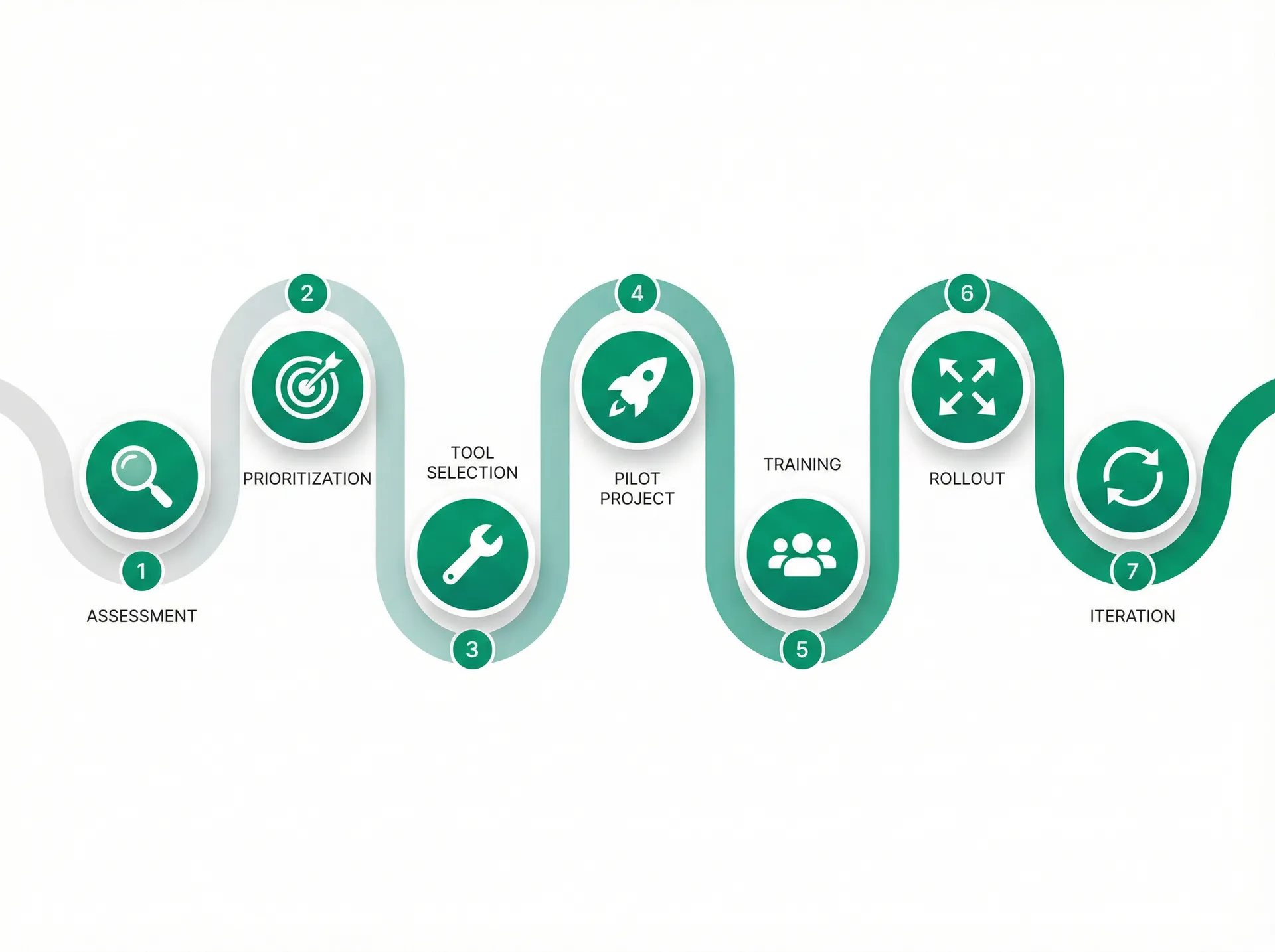
Phase 2: Prioritization (Week 3)
Goal: Decide what matters most.
Not every workflow is equally important. Some changes deliver 80% of the value:
High Impact (Start here):
- Real-time site documentation (photos, daily logs, time tracking)
- Project schedule visibility (every team member knows the plan)
- Communication hub (replace WhatsApp + email chaos)
Medium Impact (Next):
- Quality and inspection documentation
- Cost control and change order management
- Material procurement tracking
Lower Impact (Later):
- Advanced analytics and reporting
- Integration with accounting software
- Predictive analytics
Focus on high-impact first. You want to see results quickly so your team stays motivated.
Phase 3: Tool Selection (Week 4–5)
Goal: Choose the right tools for your specific needs.
Key questions:
- Does it work on-site? (Mobile-first, works in poor connectivity environments)
- Is it simple enough that a foreman can teach someone in 5 minutes?
- Can I start small and grow? (Not forced into enterprise complexity)
- Does it integrate with tools we already use?
- What's the real implementation time? (Can we go live in 2–3 weeks, not 6 months?)
Skip the "let's evaluate 47 different solutions" trap. Test 2–3 promising options with your team for a week. See what feels natural. The best tool is the one people actually use.
Phase 4: Pilot Project (Weeks 6–10)
Goal: Test with one real project before company-wide rollout.
Pick a medium-sized project that:
- Has a real schedule and budget pressure (so people care)
- Has diverse work types (so you can test the full workflow)
- Has a cooperative client (willing to give feedback)
Don't try to use every feature. Use only what solves your identified pain points. Document what works and what needs refinement.
Expect team members to be skeptical. That's normal. Within 2–3 weeks, they'll see the benefit.
Phase 5: Team Training (Week 11)
Goal: Build confidence in the tools.
Training doesn't mean a 4-hour seminar. It means:
- 15 minutes with each person showing their specific role
- A written guide they can reference
- A "power user" on your team who becomes the internal expert
- Weekly check-ins for the first month
The best training is peer-to-peer. When your site foreman learns it and explains it to another foreman, adoption is instant.
Phase 6: Rollout (Week 12 onwards)
Goal: Expand to all projects.
Do this gradually:
- Week 12: Rollout to 2–3 new projects
- Week 14: Rollout to 5–6 projects
- Month 4: All new projects use the system
Keep supporting the pilot project. Show results. Build momentum.
Phase 7: Iteration and Expansion (Ongoing)
Goal: Optimize and extend.
After 6 weeks, you'll see opportunities for improvement. Some workflows work perfectly. Others need refinement. Listen to feedback. Make adjustments.
After 3 months, you have real data on time savings and cost improvements. Use that to justify the next phase of digitalization.
Timeline: Full transformation takes 4–6 months for a small company. Not years. Not months of consultants.
Tools and Technologies That Actually Matter for Small Construction Companies
You don't need enterprise software with 200 features. You need tools that solve specific problems.
The Core Toolkit
1. Site Documentation and Daily Logs What it does: Photo documentation, daily reports, site conditions Why it matters: Replace scattered WhatsApp photos and lost handwritten notes Example benefit: Insurance claims and quality disputes resolved with documented evidence
2. Schedule and Time Tracking What it does: Work plan visibility, time tracking, crew assignment Why it matters: Everyone knows what's supposed to happen today Example benefit: Identify schedule slip-ups in real-time instead of discovering delays in monthly reviews
3. Communication Hub What it does: Project-specific messaging (not group chats) Why it matters: Replace WhatsApp chaos with organized, searchable communication Example benefit: Reduce 47-message-thread confusion to searchable, contextual discussions
4. Quality and Inspection Workflow What it does: Checklist-based inspections, photo evidence, approval workflows Why it matters: Document quality standards as work happens, not months later Example benefit: Reduce rework by catching issues immediately instead of at final inspection
5. Cost Control and Change Orders What it does: Budget tracking, change order management, approval workflows Why it matters: Real-time visibility into project profitability Example benefit: Reduce scope creep and budget surprises
6. Client Communication and Transparency What it does: Client portal or dashboard showing progress Why it matters: Reduce "what's happening?" inquiries and build confidence Example benefit: Happy clients = more referrals and repeat business
The Integration Principle
Don't buy seven disconnected tools. Buy tools that talk to each other—or buy one integrated platform that handles the core workflow.
Tools that force you to manually enter data in multiple places are tools that will stop being used.
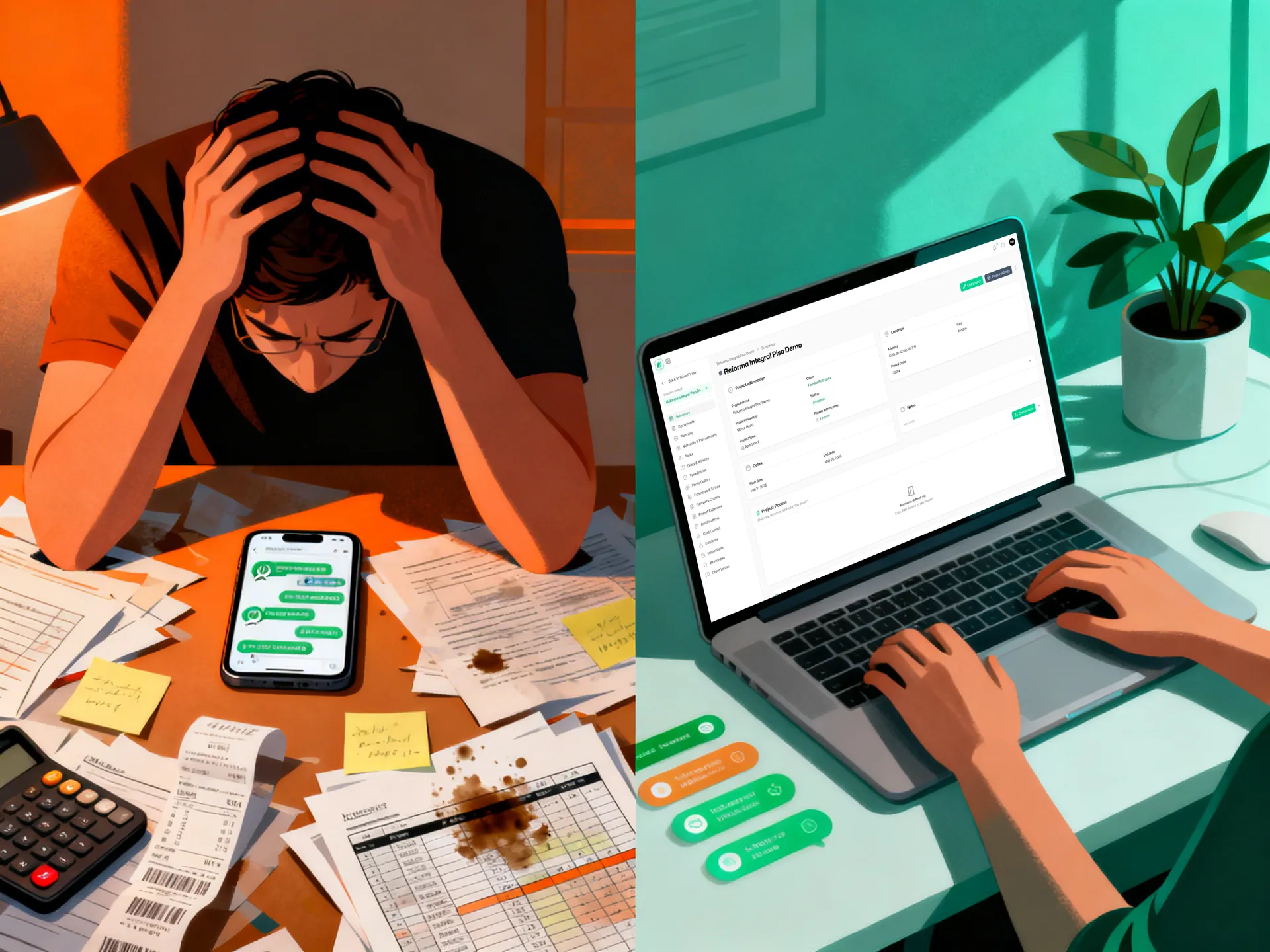
How Tabiquo Fits Into Your Digital Transformation
This is where practical integration matters.
Tabiquo is built specifically for this journey. It's not enterprise software pretending to be simple. It's simple software built for enterprises-to-be.
What Tabiquo does:
- Replaces WhatsApp, paper forms, spreadsheets, and email chaos with one organized platform designed for construction
- Works from any phone browser—no app installation, no IT infrastructure, works on poor connections
- Covers the entire construction workflow: planning, time tracking, site documentation, document management, cost control, quality, procurement, and client communication
- Designed for job sites, not offices—built by people who understand that your team isn't sitting at a desk
Why it matters for small companies specifically:
- No 6-month implementation: setup in days, not months
- No enterprise complexity: you use what you need, not what consultants think you need
- Transparent pricing: no surprise costs as you grow
- Built for your workflow: not office-based, not theoretical
Concrete example: A 12-person renovation company typically spends 15-20 hours per week on manual administration (forms, photos, communication, scheduling). With Tabiquo, that drops to 3-4 hours per week. That's one full-time person's worth of productivity reclaimed. For a small company, that's transformational.
The Real Return on Investment
Let's be concrete about numbers.
Typical impact for a small construction company (8–15 people):
Time Savings:
- Reduced administrative work: 12–15 hours per week
- Faster decision-making: 5–8 hours per week
- Eliminated rework due to miscommunication: 10–20% of current rework time
Cost Savings:
- Fewer budget surprises: 2–4% improvement in project margins
- Reduced change order disputes: 30–40% reduction in contested changes
- Better material tracking: 5–8% reduction in material waste
Revenue Gains:
- Faster project completion: 2–4% schedule improvement
- Happier clients: 15–25% increase in referrals
- Ability to handle more projects: same team, better efficiency
For a company with €2M in annual revenue:
- Time savings = €40,000–60,000 per year in freed capacity
- Cost savings = €40,000–80,000 per year in margin improvement
- Revenue gains = €100,000–300,000 per year in additional capacity
Investment: €3,000–8,000 per year in software, plus internal time for training.
Return: €180,000–440,000 per year in value creation.
The math is clear. Digital transformation isn't an expense. It's an investment with returns that pay for themselves in weeks, not years.
Getting Started: Your Next Step
Digital transformation isn't about becoming a tech company. It's about eliminating the waste that comes from operating manually so you can focus on what you actually do: building quality projects.
Small construction companies have the advantage. You're not locked into legacy systems. You're not weighed down by massive organizational inertia. You can move fast.
Here's what to do this week:
-
Assess your pain points: Where are you spending the most time on administration? Where are you losing information? Where are decisions blocked by missing data?
-
Involve your team: Ask your foreman, your office manager, your crews—where would digital tools help most? Don't let consultants tell you what you need. Listen to the people actually doing the work.
-
Explore options: Look at tools designed for construction. Test one with a single project. See if it solves your problems.
-
Plan for results: Small changes lead to big results. Completing one project with better organization will show you what's possible.
The construction companies winning in 2026 and beyond are those digitizing now. Not because they became tech companies, but because they eliminated waste and focused on what matters: building better projects, faster.
Getting Started With Your Digital Transformation
Ready to see what digital transformation looks like on your specific projects?
Start your free trial of Tabiquo — no credit card required. Set up in 10 minutes and see how your team responds to having a single platform for site documentation, time tracking, and budget visibility.
For a more in-depth look, schedule a 15-minute demo with someone who understands construction. We'll show you exactly how Tabiquo adapts to your workflow—not the other way around.
FAQs
Q: How long does it take to implement a digital tool like Tabiquo? A: Realistically, 2–3 weeks for your first project to go live, 2–3 months to have full adoption across multiple projects. This is dramatically faster than enterprise software.
Q: What if my team isn't tech-savvy? A: Tools designed for construction are designed for people who work on job sites, not IT departments. If your team can use WhatsApp, they can use Tabiquo. Seriously.
Q: Will we have to replace all our existing tools? A: Not necessarily. Tabiquo handles the core workflow, so you can eliminate WhatsApp, paper forms, and spreadsheet chaos immediately. You might keep your accounting software or other specialized tools. Integration is the key—tools should talk to each other.
Q: What about on-site connectivity? We have poor internet sometimes. A: Tabiquo is built for this reality. It works on poor connections, saves data locally, and syncs when connectivity returns. You don't need perfect internet to document your work.
Q: Will digital transformation disrupt my current projects? A: Introduce it gradually with a pilot project first. Run both old and new systems in parallel for 2–3 weeks if that feels safer. After one successful project, your team will want to keep using it.
Q: What's the real cost? A: For a small company, typically €250–600 per month depending on team size and features. Think of it as the cost of one administrative person—but you recover your team's time instead.