


Introduction
Almost no renovation loses money in the estimate. It loses it afterwards: in the "while we're at it" agreed verbally in the kitchen and never written down, in the line item that was 100% built but billed at 60% because nobody remembered the previous certificate, in the discount the client remembers and the studio doesn't. The original estimate is usually fine. What breaks is the chain that runs from that estimate to the last payment.
That chain has three named links: the estimate the client accepts, the change orders that modify the contract during the works, and the progress certificates through which completed work gets billed. In many studios they live in three different places — a spreadsheet, an email thread and another spreadsheet — and get reconciled by hand at month end, if at all.
This guide walks the whole chain, link by link, with what to demand from each so that the money coming in is the money that was agreed.
The estimate: from loose line items to a contract
Chapters, line items and codes
A serious construction estimate is organised in chapters (demolition, masonry, services, finishes…) and, inside each chapter, in line items with a unit, a measured quantity, a unit price and an amount. That is not a formality: progress billing later happens line by line, so an estimate that reaches the client as a round total is an estimate that cannot be certified.
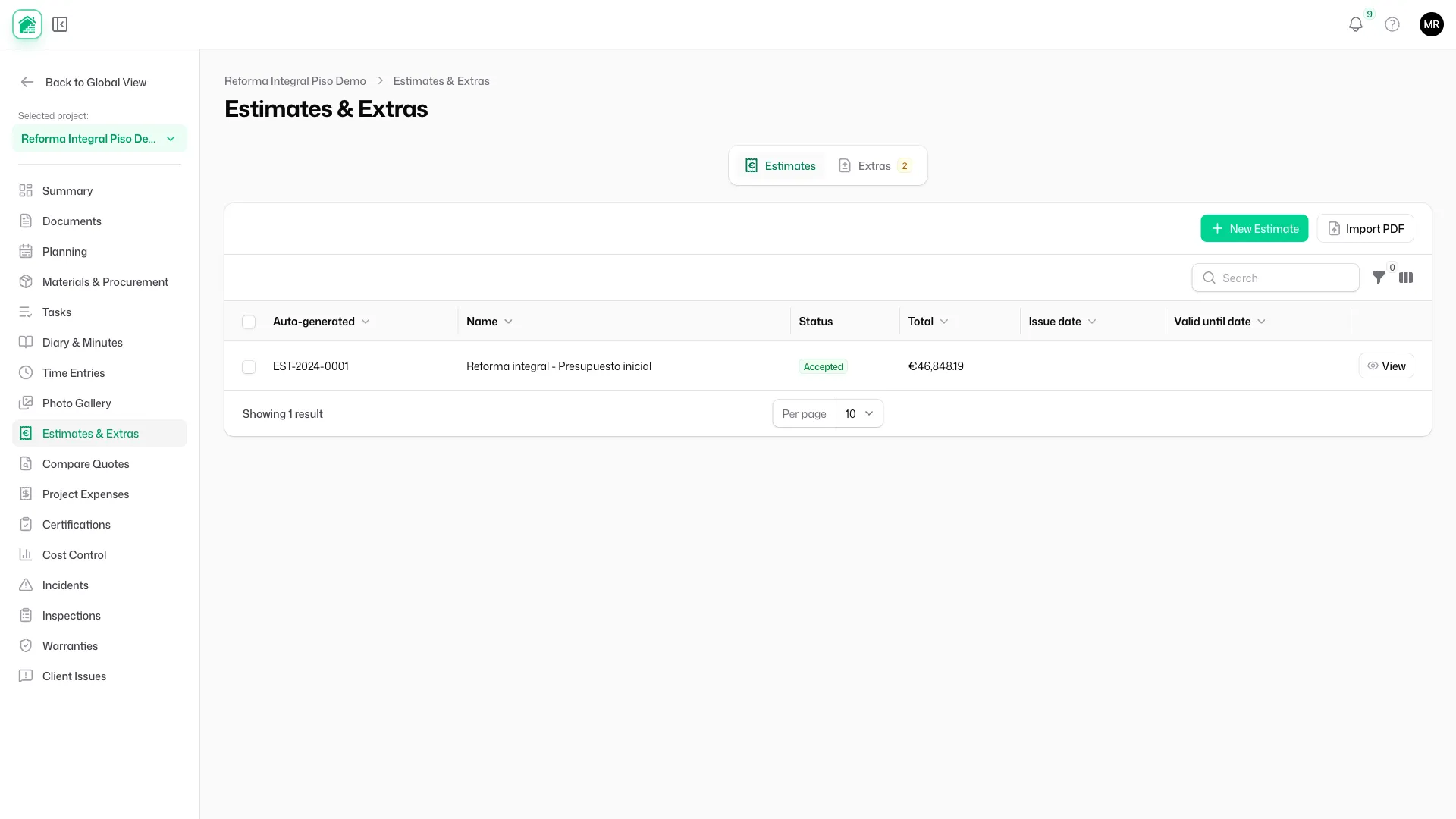
In Tabiquo, chapters are the team's work phases, reusable from one project to the next, and every line item carries a reference code (01.03, 02.01…) printed in the # column of the PDF. That code is what guarantees that line 02.01 of the estimate is exactly line 02.01 of progress certificate number four, months later.
Three ways not to start from scratch
Typing 80 line items by hand every time is why so many estimates end up as three lines and a total. There are three ways around it:
- AI generation: describe the job in plain text, or upload the client's document (a brief, an annotated sketch, a long email), and Tabiquo proposes the breakdown by chapter and line item. The interesting part is not the breakdown but the pricing: each item is priced by searching the team's own accepted estimates first (weighted by recency), then the studio's template library, and only as a last resort the model's own estimate — flagged as such so it gets reviewed.
- Your own templates: every new line item you write automatically becomes a team template, with its language and its phase. Over time, the studio's library is the studio's history.
- Import a PDF: if the estimate already exists — produced in another tool or by a collaborator — upload the PDF and it is recorded with its total and date, without retyping it.
The Spanish case: BC3
When the estimate comes from the architect in Spain, it almost certainly arrives as BC3 (the FIEBDC-3 format used by Presto, Arquímedes, CYPE and the rest of the quantity-surveying tools). Tabiquo imports it as a new draft estimate, preserving chapters, codes, long descriptions, units, quantities and prices, and detects the file's encoding (ANSI, 850, UTF-8) so accented characters do not arrive broken. One detail that matters: Arquímedes writes prices as direct cost and applies indirect costs on the way up to the chapters; the importer reconciles against the total declared in the file itself, so a €121,302.28 budget imports at €121,302.28, not 3% light.
The reverse path exists too: any Tabiquo estimate can be downloaded as BC3 to hand back to the site architect in the format they use.
Client estimate and internal estimate
Not every estimate gets sent. Tabiquo distinguishes the client estimate from the internal one: the site manager's own take on the costs they expect to pay, built before asking subcontractors for quotes. Comparing internal estimate, quotes received and actual invoices is the fastest way to know whether the margin that was sold is the margin being delivered.
Sending and acceptance: where the contract is born
Sending is not emailing a PDF
When the estimate moves from draft to sent, several things happen at once: the issue date is set, a 30-day validity is applied if none was given, and the client's users get a notification in the Tabiquo mobile app, where they open the estimate PDF right on their phone — no downloads, no email attachments. And when the client opens it, the project records it on its timeline: "estimate viewed by client". A small fact that changes the follow-up conversation, because "did you get it?" stops being a question.
Who is allowed to accept
Here is a nuance most tools ignore. On a renovation the client is often a couple, a homeowners' association or a company with several people in the app, and not all of them can commit the money. In Tabiquo, acceptance (and rejection, which carries a reason) is reserved for the owner of the client entity; the other contacts can see the estimate but cannot sign it. Whoever invites the client to the project decides who holds that role, and the first person into a client company is always the owner, so there is never a client with nobody able to decide.
The signature leaves a trace
The client accepts from that same app, on their phone: they read the estimate, type their name and sign with a finger on the screen. Nothing to print, scan or forward. But a loose signature image proves very little. That is why every acceptance records signature evidence: who signed, through which channel, when, and a hash of the exact content that was signed. If a year from now you need to show which version of the estimate was accepted, the answer is in the evidence, not in anyone's memory.
Accept = lock + snapshot
At the moment of acceptance the estimate is locked and becomes the project's baseline: a snapshot of every chapter with its amount, numbered version 1. Everything that happens afterwards — change orders, certificates, variances — is measured against that snapshot. Without a baseline, "we've gone over budget" is a feeling; with one, it is a figure per chapter.
Change orders: "while we're at it", on paper
Two working modes, chosen per project
Not every job needs the same rigidity. Tabiquo handles this with a per-project setting that decides what happens to the estimate once accepted:
- Certification mode (works billed through periodic progress certificates): the accepted estimate is strictly locked. Any change of scope goes through a change order. This is the mode a multi-unit development, a job with an external site architect, or any contract where the client will check each certificate against the signed estimate demands.
- Direct mode (small renovations, direct invoicing): the accepted estimate stays editable, but every change is logged: which line, which field, old value, new value, who and when. On top of that, any line item can take adjustments of quantity or amount — "3 m² more tiling", "€150 off the shower screen" — recorded as signed lines without touching the original item.
The estimate screen states at all times which mode it is in: "Draft", "Editable (changes logged)" or "Locked (use change orders)".
Anatomy of a change order
A change order is a mini-estimate with a contract of its own. It carries its numbering (EX-001, EX-002), its type — addition or deduction, because removing the underfloor heating is a change order too — its reason, its line items grouped into chapters if needed, and its attachments: the photo of the wall that appeared when the plaster came off, the email where the client asked for the change, the sketch. When the change order is argued over months later, the reason and the photo are worth more than the amount.
The approval circuit
The change order follows a flow with clear states: draft → submitted → approved → applied, with void as an exit at any point. The important part is in the last two:
-
Approved means the client has said yes. And the client can say yes in two ways, whichever suits them:
- From the mobile app, just like the estimate: the change order arrives as a notification, they open it on their phone, see the line items and sign with a finger (again, only the owner).
- From a public signing link, for the client who does not have the app or does not want to install it: the studio generates the link from the admin panel or from their own phone, sends it by WhatsApp or email, and the client opens a page with the change order's line items and a signature box. No account, no download, and it expires after 7 days so no live link is left lying around.
Both routes leave the same signature evidence and move the change order to the same state. The studio never has to decide on the client's behalf how they prefer to sign.
-
Applied means the change order is now part of the contract: its items become certifiable and the baseline moves to version 2, 3, 4… Each version keeps the previous one, so you can always answer "what was the original contract" and "what is it now".
The estimate shows its effective total at all times: the accepted amount plus applied change orders, with their sign. It is the number the client should have in their head, and rarely does when change orders live in WhatsApp.
Progress billing: bill what was built, no more, no less
What a progress certificate is
The progress certificate is the periodic document — usually monthly — that measures how much of each line item has been executed and how much is due for that period. It is the link where the most money is lost, because it demands three things at once: remembering what was certified before, measuring what was built now, and correctly applying retention, advance recovery and VAT.
Automatic carry-forward
Certificate number four starts where number three ended. When you create it, Tabiquo automatically carries forward each line's previous amount from the last approved certificate — matching it by its source item, whether from the estimate or from an applied change order — and computes what remains to be certified. The site manager only enters the period's progress, as a percentage or a quantity according to preference per line, and the system resolves the period amount, the cumulative and the remainder.
If the cumulative exceeds 100% of a line, it is flagged as over-certified. That is precisely the mistake that starts the argument with the site architect, caught before anything is sent.
Retention, advance and VAT
Each certificate freezes its VAT rate, applies the agreed retention percentage (the classic 5% returned at completion) and deducts the proportional share of any advance payment. The breakdown is explicit:
- Work executed in the period: €4,500
- Retention (5%): −€225
- Taxable base: €4,275
- VAT (21%): +€897.75
- Total due: €5,172.75
There is no hidden formula in a cell, and the same calculation repeats identically in January and in November.
Evidence behind every line
Certifying 50% of a partition wall is a claim. What turns it into a fact is evidence: each certificate line can be linked to that period's site diary entries, work reports, time entries and photos. The chain closes: the labourer clocked in on Tuesday, the work report says the ground-floor partition went up, the photo shows it, and the certificate bills 50%. When somebody asks "was this really done by 31 March?", the answer is not an email, it is a click.
Approval, rejection and corrections
The certificate follows draft → submitted → approved, with rejected sending it back to draft with a reason. An approved certificate is immutable: if it contains an error it is not edited; a corrective certificate is created that points at the original and keeps the full trail. That is the difference between being able to reconstruct the history of a payment and having to trust the latest version of the spreadsheet.
When someone else issues the certificate
On jobs with an external site architect, the certificate is sometimes issued by the client's technician and arrives as a PDF. Tabiquo accepts it as an external certificate: upload the document with its amount and period, and it joins the same sequence and the same project summary as the internal ones. The cumulative certified amount does not depend on who wrote each one.
From certificate to invoice
Once the certificate is approved, a single step creates the corresponding invoice in the finance module and links it to the certificate, recording how much of the certificate each document covers. From there, receipts and payment applications follow their course, and the project summary answers the only question that matters at month end: how much was built, how much was certified, how much was invoiced and how much was collected.
Everything on the same timeline
Estimate sent, viewed, accepted or rejected; change order submitted, signed, applied: each of these milestones is an event on the project timeline, with its audience. The ones meant for the client are visible to the client in the app, which makes the "just a reminder that the bathroom change order is still awaiting signature" email unnecessary. The status is in plain sight for both parties, and both parties see the same one.
Conclusion
A job's money is not lost in one place; it leaks through the joints between estimate, change orders and progress certificates. Sealing those joints takes three things: an estimate with line items and codes that can be certified, an acceptance with signature and baseline that fixes the contract, and a change-order and certification cycle that carries forward what came before, demands evidence and never lets approved figures be rewritten.
Tabiquo chains the three links inside the same project: it imports the architect's estimate from BC3 or generates it with AI from the studio's own prices, locks it with the client's signature from the mobile app, handles change orders signed in the app or through a public link, and certifies month by month with carry-forward, retention and evidence. If your progress billing currently happens by cross-referencing two spreadsheets, the good news is that the problem has a fix — and it is not certifying more carefully, it is no longer copying figures by hand.